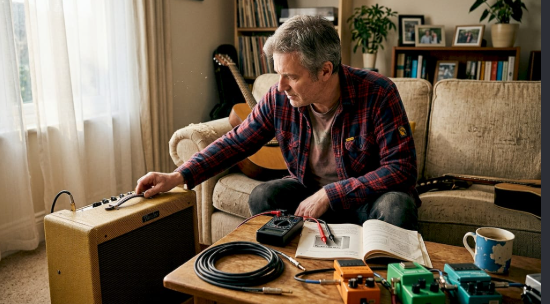
Amplifier Home Audio Troubleshooting: Fixing Hum, Distortion and Dropouts
When a home sound system misbehaves it is tempting to assume the amplifier has failed and start shopping for a replacement. In reality, most problems come from connections, settings or placement and can be solved in minutes. This guide covers the most common issues with amplifier home audio systems and shows you how to track down the cause in a sensible order.
Key Takeaways
- Work from simple to complex: power, input, volume, cables, then equipment.
- Change one thing at a time so you know what fixed it.
- If the amplifier shuts itself off, treat it as a warning and investigate before pushing on.
No Sound at All
Confirm the amplifier is powered on and that any standby light behaves as the manual describes. Check that the right input is selected and the volume is raised. Make sure the source is actually sending sound and that its output setting matches the connection you are using. Then inspect the speaker cables at both ends. A loose wire, or a stray strand touching another terminal, can silence a channel or trigger the amplifier’s protection circuit.
One Speaker Works and the Other Does Not
Swap the left and right speaker cables at the amplifier. If the silent side moves, the fault is the speaker or its cable. If it stays on the same channel, the cause is the amplifier or the source. Also check the balance control in case it has drifted to one side.
Hum or Buzzing
A steady hum often means a ground loop or electrical interference. Try plugging all the equipment into the same power strip. Keep power adapters away from signal cables. Disconnect devices one at a time to find which introduces the noise, and try a different cable or input. A shorter cable can make a noticeable difference.
Hiss at Low Volume
Some background hiss can be normal with very sensitive speakers. Excessive hiss may come from a poor cable, a weak source or too much gain in the chain. Experiment with the source volume and amplifier volume. Often, a higher source level and lower amplifier level, or the reverse, will be noticeably quieter.
Distortion at Higher Volume
If sound becomes harsh or fuzzy when you turn it up, the amplifier may be running out of power, or the signal may be clipping somewhere. Lower the volume and check that the source level is not set too high. Confirm that your speakers’ impedance suits the amplifier. Driving an underpowered amplifier hard can stress your speakers as well as the amplifier, so reducing volume is the safer response.
Amplifier Shuts Off or Runs Very Hot
Protection circuits turn off an amplifier when they sense trouble such as a short circuit, overheating or an unsuitable load. Make sure there is space around the unit for airflow and that the speaker wires are not touching each other. If shutdowns repeat, verify the power adapter matches the maker’s recommendation. Reviewing the specifications of your amplifier home audio unit for supported impedance and recommended power can show whether your setup is outside its intended range.
Wireless Dropouts
For Bluetooth or other wireless links, dropouts commonly come from distance, obstacles or interference from other devices. Move the source closer, clear obstructions and turn off nearby equipment that may share the same radio band. Check whether firmware updates are available for your devices.
Remote Control Problems
Replace the batteries first, then make sure nothing blocks the sensor on the front of the unit. Strong lighting or other remote controls can occasionally interfere.
When to Ask for Help
If basic checks do not solve it, consult the manual and the manufacturer’s support channels. Many companies offer clear guides and responsive service, and a warranty may cover repairs. Describe what you hear, what you already tried and which equipment is connected, and you will usually get faster, better help.
Frequently Asked Questions
Why does my amplifier hum only with the television connected? The television may be creating a ground loop. Try a different input type, a different outlet or a short cable.
Is it safe to keep using an amplifier that gets very hot? Persistent overheating is a warning. Improve ventilation and check the load before continuing.
See also: Understanding the Process of Establishing an International Business
Prevent Problems Before They Start
Keep cables tidy and secure, leave space for airflow, avoid extreme volume and switch the system off when it will not be used for long periods. These small habits keep equipment dependable for years.