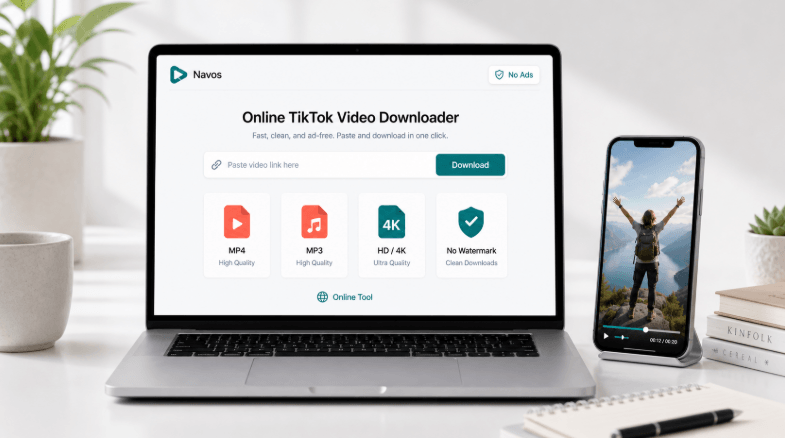
Download Videos Ad-Free From YouTube, Facebook, Instagram, and TikTok With Ease
In today’s digital world, saving videos for offline use has become a common need. Whether you are a teacher saving a clip for a classroom lesson, a researcher preserving a source before it disappears, or a content creator archiving your own uploads, having a reliable video downloader makes all the difference. Most free tools online are cluttered with fake buttons, pop-up ads, and forced redirects that make the experience frustrating and even risky. That is why more people are looking for cleaner, simpler alternatives.
One tool that stands out from the crowd is TubePull, a browser-based video downloader that works without ads, without sign-ups, and without any software installation. It supports more than a dozen platforms including YouTube, Facebook, Instagram, TikTok, SoundCloud, Twitch, Vimeo, Dailymotion, Bandcamp, Twitter/X, Mixcloud, and Streamable. You simply paste a link, choose your format, and download directly to your device. No account is needed, and no files are stored on any server.
Why Ad-Free Downloading Matters
Most free video downloaders rely on aggressive advertising to make money. This often means users are bombarded with misleading download buttons, unwanted browser extensions, and pages that open new tabs without permission. Beyond being annoying, these tactics can expose your device to malware and privacy risks.
An ad-free experience removes all of that. When there are no fake buttons or pop-ups, you can focus on what you actually came to do — download your video quickly and safely. The tool works exactly as described, with one clear download button and no distractions.
Platforms Supported for Downloading
One of the biggest advantages of using a multi-platform downloader is that you do not need a different tool for every website. Here is a look at the major platforms supported:
- YouTube — Download videos in HD, 1080p, 2K, or 4K MP4 format, or save audio as MP3
- Facebook — Save public videos directly to your device
- Instagram — Download Reels, posts, and stories
- TikTok — Get watermark-free video downloads
- SoundCloud — Save tracks as audio files
- Twitch — Archive streams and clips
- Vimeo — Download high-quality video content
- Dailymotion — Save videos from this popular platform
- Bandcamp — Download music tracks
- Twitter/X — Save video clips from tweets
- Mixcloud — Archive audio mixes
- Streamable — Download hosted video clips
How to Download a Video in Three Simple Steps
The process is designed to be as straightforward as possible, even for users who are not tech-savvy.
Step 1: Copy the Video URL
Go to the platform where the video is hosted. Find the video you want to download and copy its link from the address bar or by using the Share button on the platform.
Step 2: Paste the Link and Choose Your Format
Paste the copied URL into the downloader. You will then be able to select your preferred quality. Free users can download up to 1080p Full HD, while Pro users can access 2K and 4K resolution. You can also choose to download audio only as an MP3 file.
Step 3: Download Instantly
Click the download button and the file saves directly to your device. There is no waiting period, no email confirmation, and no account required.
Who Is This Tool Best Suited For
This kind of downloader is especially useful for specific groups of people who regularly need offline access to video or audio content:
- Educators who need to save fair-use clips for classroom presentations
- Content creators who want to archive their own uploads as a backup
- Researchers who need to preserve video sources before they are taken down
- Podcasters who want to extract audio from interviews or public talks
- Students who need offline access to educational videos
Works on All Devices Without Installation
Because the tool runs entirely in your browser, there is nothing to install. It works on iPhone, iPad, Android, Windows, macOS, Linux, and Chromebooks. This makes it accessible to virtually anyone, regardless of the device they use.
The free plan allows up to three downloads per day, which is enough for casual users. Those who need more can upgrade to the Pro plan for higher resolution options and additional downloads.
Downloading Responsibly
It is important to only download content you are legally allowed to save. This includes your own uploads, public-domain works, Creative Commons material, or content covered under fair use. Always confirm you have the right to download before proceeding.
Conclusion
Finding a video downloader that is clean, fast, and genuinely ad-free is not easy. Most tools sacrifice user experience for ad revenue. If you need a reliable way to download and archive videos from YouTube, Facebook, Instagram, TikTok, and many other platforms without dealing with pop-ups or fake buttons, this type of browser-based tool offers a refreshingly simple solution. With support for multiple platforms, high-quality downloads, and no sign-up required, it covers everything most users need in one place.