Click-and-Collect for Small Retailers: What You Need Behind the Scenes
Offering local pickup sounds simple from a customer’s point of view: order online, walk in, grab the bag, leave. Behind the counter, though, it only works if your website and your register are quietly working together the whole time. Without proper Ecommerce Integration, a small retailer trying to offer click-and-collect ends up manually checking two systems for every single pickup order, which quickly becomes unsustainable once demand picks up.
Why Small Retailers Are Embracing Local Pickup
Shoppers increasingly want the convenience of browsing online without waiting for shipping, especially for items they need quickly or want to see in person before committing. For small retailers, offering pickup also cuts shipping costs and often brings customers into the store, where they frequently add another item or two to their order before leaving.
The Behind-the-Scenes Requirements
For pickup orders to run smoothly, your website needs to know exactly what’s in stock at any given moment, not what was in stock this morning. That means your online store and in-store register need to share the same live inventory count, updating the instant something sells either online or over the counter.
Order Notifications That Don’t Get Missed
A pickup order sitting unnoticed in an inbox for hours creates a frustrated customer standing at your counter wondering why their item isn’t ready. Systems built for this should alert staff immediately when a pickup order comes through, ideally right on the same screen they use for in-person sales, so nothing gets buried in a separate email queue.
Handling Partial Fulfillment
Sometimes an online order includes an item that sold out in the ten minutes between the order being placed and staff pulling it from the shelf. A well-integrated system flags this immediately so staff can contact the customer about a substitution or refund, rather than the customer discovering the problem only when they arrive to collect their order.
Keeping Staff Workflows Simple
Small retail teams often wear multiple hats, ringing up walk-in customers while also prepping pickup orders. The fewer systems staff need to check, the smoother this juggling act becomes. Ideally, pickup orders should appear in the same interface used for regular sales, complete with a clear status marker so nothing gets forgotten in a back room.
Managing Returns and Exchanges
A customer who picked up an online order in-store may later want to return it in person too. Integration matters here as well, since staff need to pull up that order’s details, whether it originated online or at the register, without asking the customer to dig up a confirmation email from days earlier.
Staff Training for a Hybrid Workflow
Even the best integration won’t help much if staff aren’t confident using it. Take time during onboarding to walk new hires through a full pickup order from start to finish, including how to handle a substitution request or a customer who arrives before their order is marked ready. A short practice run during a quiet shift is far better than staff learning the process for the first time in front of an impatient customer.
Measuring Whether Pickup Is Working
Once pickup is live, it’s worth tracking how many of those customers make an additional in-store purchase, how long orders sit before being collected, and which products are most commonly ordered this way. This data helps decide whether to expand the offering, promote it more heavily, or adjust staffing during peak pickup windows.
Communicating Pickup Windows Clearly
Customers appreciate knowing exactly when their order will be ready, and vague timelines lead to premature store visits and frustrated phone calls asking for updates. Automated status updates, sent the moment an order moves from received to ready for pickup, set clear expectations and cut down on the interruptions that pull staff away from other tasks throughout the day.
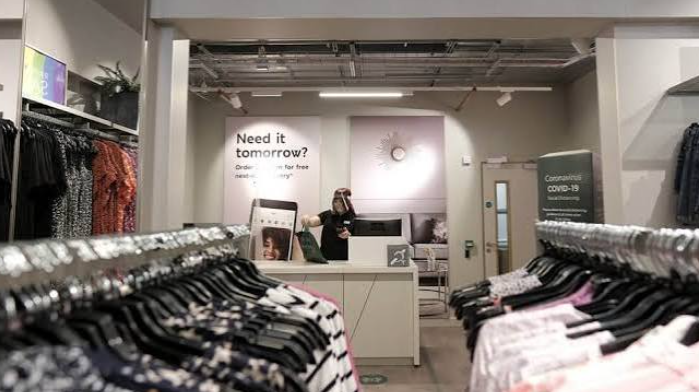
It’s also worth designating a specific pickup area near the entrance rather than having customers wait in the general checkout line. This small layout change signals to shoppers where to go immediately, speeds up the handoff, and keeps your regular checkout line moving for customers who are there to browse rather than collect an order.
See also: Why Professional Corporate Transport Matters for Growing Businesses
Starting Small and Scaling Up
Retailers new to click-and-collect often do best by piloting it with a limited category of products before rolling it out storewide. This lets staff get comfortable with the new workflow and lets you spot any gaps in inventory syncing before it affects your full catalog.
Final Thoughts
Local pickup can be a genuine advantage for small retailers competing against larger online players, but only if the systems behind it are properly connected. Get the inventory sync and order notifications right, and click-and-collect becomes a smooth, low-effort way to serve customers who want convenience without giving up the option to shop nearby. Even a modest pickup program, run well, tends to build the kind of customer loyalty that’s hard to buy through advertising alone.