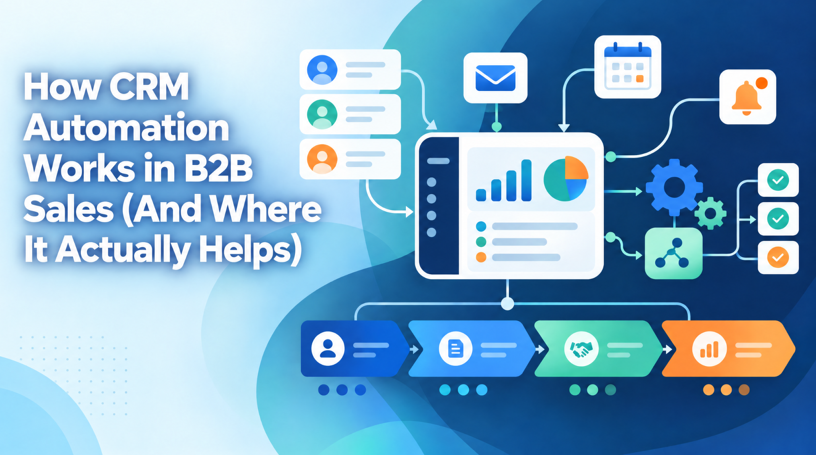
How CRM Automation Works in B2B Sales (And Where It Actually Helps)
A lot of B2B sales teams still run their pipeline off gut feeling and a tangle of spreadsheets. Leads sit in one tab, follow ups live in someone’s calendar reminders, and deal stages get updated whenever a rep remembers to open the sheet. It works, sort of, until the pipeline grows past fifteen or twenty active deals and things start slipping through the cracks.
That’s usually the point where businesses start looking at CRM automation. Not because it’s trendy, but because manual tracking simply cannot keep pace once a sales team scales past a handful of reps.
Just saying in a layman’s terms what most vendors don’t say in the initial stages. Automation is not something you switch on. It’s a set of policies and triggers built upon your CRM data that gets triggered whenever an item of data is changed. A good cloud based CRM system does it by default, keeps the leads routed, reminds the reps of follow up due, updates deal stages based on activity, lets the team focus on selling not data updation.
This matters even more for teams evaluating AI CRM software right now. AI driven automation goes a step further than basic rule based triggers. It can score leads based on engagement, flag deals at risk of stalling, and suggest the next best action for a rep without anyone configuring that logic by hand.
What CRM Automation Actually Means in a B2B Context
B2B transactions are typically not completed in a single call. There is a discovery call, possibly a demonstration, a proposal discussion, some procurement negotiations, and the contract is awarded. Each of these stages generates data: an email chain, a meeting record, a reminder for a follow-up, a change in status. CRM automation is the art of having the software do that work, rather than a salesperson.
Think of it not so much as removing people, but as removing the opportunities cost of doing admin that can be as valuable as having a person’s time. A rep shouldn’t have to remember to schedule a follow up call when they close a deal if they are on the phone, updating the deal stage, and letting the manager know if it is a big deal.
That’s the whole point of automation. It handles the chain reaction on its own.
Where Manual Sales Processes Break Down
Most founders don’t think they have a process problem until growth makes it obvious. A team of three reps can track deals in a spreadsheet and still remember most of the details. Scale that to fifteen reps across different regions, and things fall apart fast.
A few common failure points worth naming:
- Leads sit unassigned for hours, sometimes days, because nobody is watching the inbox in real time
- Follow ups get missed whenever a rep is on leave or juggling too many open deals
- Deal stages stay outdated because updating them manually feels like extra work nobody has time for
- Managers get no real visibility into pipeline health until the end of month review
None of this happens because reps are lazy. It happens because manual systems depend entirely on human memory and discipline, and neither one scales well under pressure.
The Core Areas CRM Automation Covers
“Automation” gets thrown around a lot without much detail, so let’s get specific about what it actually touches inside a CRM.
Lead Capture and Routing
If a lead submits a form, clicks on an ad, sends a WhatsApp message we put that lead on automation. And then, automatron. No manual intervention. This is where an all-singing, all-dancing, omnichannel CRM system shines, because few leads come in over a single channel these days. They’re filling in a form on your website, then clicking a Google ad, sending an Instagram DM, getting referred over a call, all in the same week. And now, instead of someone noticing, which lead comes in where, what is addressed to whom, automation shuffles it to the exact right rep, based on territory, order size, product the lead is interested in.
Follow Up Sequences and Nurturing
B2B sales cycles can stretch for weeks or months. Automated nurture sequences, emails, WhatsApp nudges, scheduled check-ins, keep a prospect warm without a rep manually tracking forty different timelines in their head.
Pipeline and Deal Stage Automation
As activities happen (an email gets opened, a proposal gets viewed, a call gets logged) automation nudges the deal into the right stage or flags it when things go quiet. A deal untouched for twelve days should raise a flag on its own. Nobody should have to notice that by scrolling through the pipeline manually.
Internal Notifications and Task Assignment
Automation also handles the internal side of things: alerting a manager when a high value deal stalls, assigning a task the moment a lead crosses a certain score, or pinging a rep the second a client finally replies.
Reporting and Forecasting
Automated dashboards pull live data all the time instead of having to build out any reports every Friday. Forecasting is now a daily activity instead of a monthly rush because getting rid of the time lag from occurring to leadership has changed the way decisions are made.
Connecting Your CRM With the Rest of Your Sales Stack
CRM automation seldom lives alone. No deal lives in a single application. It goes through email, dialing tools, invoicing, and potentially a marketing platform as well. This is why your CRM needs to connect with all the other applications your team is working on. Otherwise, you’ve automated half of a workflow and run the other half manually, missing the whole point.
Gmail or Outlook sync means that each email thread appears within the deal timeline independently. A WhatsApp integration means a sales rep doesn’t need to take a screenshot of a conversation and copy-and-paste into notes later. Nothing here sounds exciting. This is the infrastructure that allows automation to work end to end.
How Automation Changes the Sales Cycle Timeline
Let’s do the math here, so we choose a rough, but believable example. An average B2B software vendor playing to the SME market will close a deal in 25 to 40 days from first contact. And quite a bit of time, i. e. about one third, is just friction: slow follow ups, sluggish internal delivery, forgotten, or neglected steps.
Just the auto-reminders alone will cut a couple days out of that as well. Auto lead routing getting a lead into a human’s hand within a matter of minutes rather than hours can cut off another day or two, simply due to in reality a quicker response time simply increases the chance of a conversion. Combine all of these together and you have a 20% cut in a 35 day cycle to an actual 28 day cycle. It’s not the type of thing that you would magically see in the report, but though it’s not huge, the consistent, compounding effect will typically be enough to move the revenue needle across a quarter.
Common Mistakes Businesses Make With CRM Automation
It all sounds so simple until your business begins setting up automation and generates either too much automation or not enough. Both happen to be common occurrence and can be damaging for any business.
Over automating appears:: emails that are all the same and sent to every lead, no matter the situation, a rep’s inbox being inundated with tasks until they begin to delete them all, process flows that are so brittle that a single exception leads to a breakdown.
Under automation looks the other direction: automating only email follow ups, with all other tasks like lead assignment reporting, task creation, etc. completely manual, not affecting the true bottleneck at all.
There is a middle ground. Automate the low-value, hard-to-differentiate walkie-talkie parts (routing reminders stage updates) and let the human rep make the judgment call about how to respond to a sticky objection. That’s what makes helpful automation help and not one the silent resent.
See also: Understanding the Process of Establishing an International Business
Getting Your Team to Actually Use an Automated CRM
None of this will be of value if the sales reps don’t actually adopt the system. Better to be upfront about this rather than ignore it. Too many companies implement automation, give the team a quick crash course for an hour or two and then six weeks later ask why so many reps are still tracking deals in a notebook.
For most of the sales teams, getting CRM user adoption right is just a matter of reducing resistance, not piling on additional constraints. If updating the CRM takes more time than firing off a WhatsApp to a friend, reps will do it just as often as they ignore it. Automation should reduce the number of blind folders a rep has to open up a dozen times a day, not give them another flashboard to glance at alternately with their inbox.
Simple as that.
Choosing the Right CRM for B2B Automation
A few things matter more than flashy demo features when evaluating platforms.
Look for native integrations with the channels a team already uses daily, WhatsApp, email, calling tools, rather than ones needing a third party connector for basic functions. Check whether lead scoring and routing rules can be customised without a developer every time something changes. And ask how reporting works, because a dashboard showing data a day late isn’t much better than a spreadsheet.
Pricing matters too, obviously. But the real cost of a CRM was never the subscription fee. It’s the hours a team loses to manual work automation that should have been eliminated months ago.
Final Thoughts
CRM automation isn’t about replacing a sales team with software. It’s about removing the parts of the job that don’t need a human, so reps spend more time actually talking to prospects and less time updating fields and chasing their own follow up list.
Start small if that feels safer. Automate lead routing first, then follow ups, then reporting. Most businesses that try to automate everything on day one get overwhelmed and abandon half of it within a month. The ones that build it step by step tend to be the ones still using it a year later.
FAQs
What is CRM automation in simple terms?
It’s the use of rules and triggers inside a CRM to handle repetitive sales tasks automatically, things like assigning leads, sending follow up reminders, and updating deal stages, instead of a rep doing each one by hand.
How is CRM automation different from AI CRM software?
Basic CRM automation runs on fixed if-this-then-that rules someone sets up in advance. AI CRM software adds a layer on top of that, scoring leads, predicting stalled deals, and suggesting next steps based on patterns in the data rather than a rigid rule a person wrote.
Does CRM automation work for small B2B teams, or only larger ones?
It works for teams of any size, though the payoff shows up faster once a team crosses five or six reps. Below that, manual tracking is usually still manageable, but automation still saves time even for smaller teams.
What should a business automate first in its CRM?
Lead routing and follow up reminders, typically. These two areas cause the most missed opportunities when left manual, and they’re also the easiest to automate without much setup.
Can CRM automation handle WhatsApp and email follow ups together?
Yes, provided the CRM supports both channels natively. A cloud based CRM system with WhatsApp and email integration can trigger nurture sequences across both without a rep switching between separate apps.
How long does it take to see results after automating a CRM?
Most teams notice a difference within the first two to three weeks, mainly in fewer missed follow ups and faster lead response times. Deeper gains, like a shorter overall sales cycle, usually show up over a full quarter.