Fresh vs Aged Gmail Accounts: What Buyers Should Know
Online listings often describe Gmail accounts as fresh or aged, but these terms do not form an official Google quality rating. The labels may refer to the time since creation or to a seller’s description of account history. They do not guarantee reliability, access, reputation, or acceptance by another service. This guide explains how to compare claims responsibly and choose an email setup that fits your needs.
What Sellers Mean by Fresh and Aged
A fresh account is generally presented as one created recently, while an aged account is described as having existed for a longer period. Sellers may define these labels differently, and the label may not provide independently verifiable evidence of the account’s history. Age alone does not prove that an account has been used legitimately, that its recovery information is controlled by the buyer, or that it will avoid future security checks. A newer account may be perfectly appropriate for ordinary personal communication, while an older account may still have unresolved recovery or ownership issues. Focus on verifiable characteristics: who controls the account, what security options are available, whether the intended use is permitted, and how access can be recovered. Avoid assuming that account age creates special privileges or guarantees performance.
Why Account History Is Not a Quality Guarantee
An account’s history is only one part of its overall security and usability. A long-established account can still be compromised, poorly secured, or linked to recovery details that another person controls. A recently created account can be secure if it is set up and managed by its legitimate owner. No label can promise that Google will never request additional verification or apply a restriction. Services also change their policies and risk checks over time, so past behavior does not guarantee future treatment. If your workflow depends on reliable communication, evaluate continuity, ownership, security, and support instead of relying on age as a shortcut. Keep in mind that an account obtained from another person may create complications that would not exist when an account is created and managed directly by its intended owner. If you compare listings for Gmail PVA accounts, review the stated terms and recovery arrangements before deciding.
Match the Email Setup to the Task
Start by identifying whether you need a personal inbox, a project address, a customer-support channel, or several employee accounts. A single inbox with labels and filters may be enough for a small project. A team may benefit from Google Groups, delegated access, aliases, or a shared support platform. An organization that needs individual staff logins, administrative control, and account lifecycle management should compare Google Workspace or another business email service. The right setup should make it easy to assign responsibility, remove access when roles change, recover messages, and maintain records. Avoid using multiple accounts to bypass service limits or to conduct unsolicited activity. The practical value of an email solution comes from how well it supports the work while remaining secure and consistent with applicable policies.
Check Recovery and Security Details
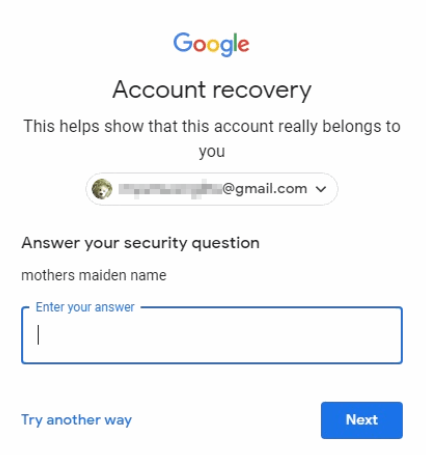
Whether an account is fresh or aged, recovery is central to long-term access. Review the recovery email and phone options, recent security activity, signed-in devices, connected apps, and two-step verification settings when you are the authorized account owner. If an account is being transferred, ask whether recovery details can be legitimately updated and whether the previous holder retains any access. A password by itself is not proof of control. Use a unique password and store it securely. Do not share verification codes or allow an unknown person to keep recovery access. For business use, prefer a setup where administrators can manage accounts through official controls and where access can be recovered without relying on a third-party seller. These steps reduce the risk of disruption and make responsibilities clearer.
Understand the Risks of Purchased Accounts
Third-party account transfers may conflict with platform terms or lead to disputes about ownership. The account may later require verification, become inaccessible, or be restricted. A seller’s replacement promise may not solve the problem if the account contains business messages, customer records, or project history. Before paying for any digital service, review its written terms, refund conditions, support channels, and privacy practices. Do not use purchased accounts for spam, impersonation, fake engagement, or evasion of another service’s controls. These activities can harm recipients and create account restrictions. If an account is important to your business, the potential cost of lost access may outweigh any initial savings. Consider creating accounts through official channels or using a managed business email product that keeps administration and recovery within your organization.
A Better Decision Framework
Compare options using a short scorecard: authorized use, account ownership, recovery control, security settings, compatibility, support, total cost, and ease of administration. Treat claims about account age as descriptive rather than conclusive. For a long-term business address, a custom domain and managed email plan may provide stronger continuity than a consumer inbox transferred by another party. For a temporary personal project, an officially created account may be the simplest choice. Whatever option you select, document its purpose, keep recovery information current, review connected applications, and establish a plan for losing access. A good email setup is not defined by age alone. It is defined by whether the legitimate user can secure it, manage it, and continue using it within the rules of the relevant services.
Use a consistent comparison method rather than relying on seller terminology. For each option, record the account’s legitimate owner, recovery controls, available security protections, compatibility with the intended service, support conditions, and any restrictions that could affect your use. A label such as “aged” should not receive a high score unless there is a clear, relevant reason it matters to the task. If a seller cannot explain a claim or document the service terms, treat that uncertainty as a risk instead of assuming the best.
Think about what happens if the account becomes unavailable. Could you still contact customers, retrieve receipts, or continue a project? If not, move essential records to approved business systems and maintain a continuity plan. Avoid using an inbox obtained from an unknown party as the only recovery address for other important accounts. That can create a chain of access problems if the inbox itself is lost. For a team, use a managed identity and a documented recovery process wherever practical.
Account age also does not replace normal security habits. Review devices and connected apps, use unique credentials, enable the protections available to the legitimate owner, and watch for unexpected sign-in alerts. Do not assume an old account is safe simply because it has existed for years. The safest choice is the one that matches the task, gives the rightful user clear control, and can be maintained within the service’s current rules.
One useful rule is to separate convenience from control. A listing may look convenient, but long-term control depends on recovery options, clear ownership, secure administration, and a permitted use case. Check these factors first and treat any unverified claim as an open question rather than a guarantee.
Where possible, test the selected workflow with an account you created and control yourself before connecting important business tools. This helps identify application compatibility issues without risking customer messages or project records.
Review the choice again if your purpose changes, because an account suitable for casual correspondence may not be suitable for a business-critical workflow.