Gmail PVA Accounts: Definition, Uses, Risks, and Best Practices
Introduction
Gmail PVA accounts, commonly described as “Phone Verified Accounts,” are Gmail accounts whose registration or verification process has involved a phone number. These accounts are sometimes discussed in digital marketing, customer support, testing, and online business communities. Because Gmail accounts are tied to Google’s systems and policies, however, simply having a phone-verified account does not mean that an account is automatically trusted, permanent, or suitable for every purpose.
The topic is important because businesses often need multiple legitimate email addresses for teams, departments, projects, testing environments, and customer communication. At the same time, bulk-created or misleadingly represented accounts can create security, compliance, and deliverability problems. A responsible approach therefore focuses on legitimate account ownership, transparent use, account security, and compliance with Google’s terms rather than on methods for bypassing verification or platform safeguards.
What Does PVA Mean?
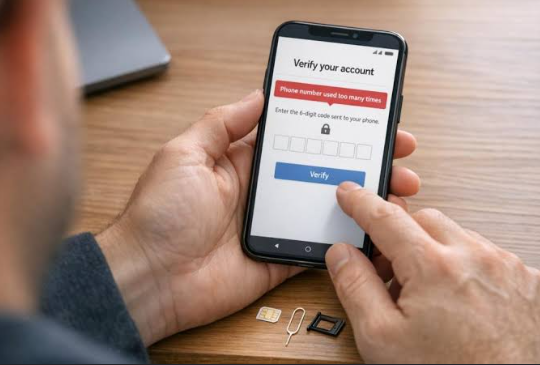
PVA generally stands for Phone Verified Account. In the context of Gmail, the term usually refers to an account where a phone number has been used during an account verification step. Phone verification can help services reduce automated abuse and distinguish normal registrations from suspicious activity.
It is important to understand that phone verification is only one part of an account’s history. It does not guarantee that the account will remain active, that messages will always reach inboxes, or that Google will consider every future activity legitimate. Account age, login behavior, security settings, sending patterns, recovery information, and compliance with policies can all affect account reliability.
See also: How to Choose the Right Life Partner: 7 Things That Actually Matter for a Lasting Marriage
Legitimate Business Uses
There are several legitimate reasons an organization may need multiple Gmail addresses. A company can use separate accounts for customer support, sales inquiries, marketing campaigns, administration, software testing, or project-specific communication. Developers may also need test accounts in controlled environments to evaluate authentication flows or email notifications.
For organizations, Google Workspace can be a more appropriate solution than maintaining a large collection of unrelated consumer Gmail accounts. Workspace allows businesses to manage users, permissions, security policies, and organizational email addresses centrally. This can improve accountability and make it easier to recover accounts when employees leave or devices are lost.
Risks of Buying or Reselling Accounts
Buying Gmail PVA accounts from unknown sellers introduces significant risks. The buyer may not know how the accounts were created, whether the recovery information is controlled by the buyer, whether the accounts were previously used for spam, or whether the seller can later regain access. An account that appears usable today may be suspended later because of activity associated with its previous history.
There are also privacy and security concerns. A seller who retains recovery credentials, phone numbers, backup email addresses, session information, or other access mechanisms may potentially interfere with the account. Businesses that depend on such accounts can therefore face lost access, damaged reputation, and exposure of sensitive information.
Another risk is policy compliance. Google services have rules covering abuse, spam, automation, impersonation, and other harmful activity. Using large numbers of accounts to evade restrictions or artificially manipulate online systems can result in account limitations or suspension.
Security and Account Management
For legitimate Gmail accounts, security should be a priority from the moment an account is created. Each account should have strong, unique credentials and appropriate recovery options. Two-step verification can provide an additional layer of protection, particularly for business-critical accounts.
Organizations should also maintain an internal record of who owns each account and why it exists. Shared credentials should be avoided where possible. Instead, businesses should use appropriate administrative or delegation features so that access can be removed when a staff member no longer needs it.
Regular security reviews are useful as well. Unrecognized devices, unusual login locations, unexpected recovery changes, and suspicious messages should be investigated promptly. Keeping software and devices updated also reduces the chance that credentials will be stolen through malware or outdated systems.
Choosing a Legitimate Approach
Before obtaining multiple email accounts, a business should first identify the actual requirement. If the goal is to create separate addresses for employees or departments, a managed business email service may be the best choice. If the goal is software testing, a controlled test environment may be more appropriate. If the goal is customer communication, a properly configured business mailbox and email-sending platform can provide better reliability and reporting.
When evaluating an account provider, transparency matters. Businesses should know who controls the accounts, how recovery works, what documentation is available, and whether the service is permitted under the relevant platform rules. Extremely cheap offers that promise unlimited accounts, guaranteed longevity, or immunity from suspension should be treated cautiously.
Conclusion
Gmail PVA accounts are best understood as phone-verified email accounts rather than as a special category of guaranteed or trusted Gmail accounts. They can have legitimate uses when accounts are created, owned, secured, and operated responsibly. However, purchasing accounts from unknown sources or using them to bypass platform safeguards can create serious security, reliability, and compliance problems.
For long-term business operations, a managed and transparent email setup is generally safer than relying on a large supply of third-party accounts. The strongest strategy is to match the email solution to the real business requirement, protect account credentials, maintain clear ownership, and follow Google’s policies. This approach may require more planning at the beginning, but it provides much greater stability and accountability over time.