Why fast game pages depend on cleaner phone setup
Fast game pages are good at exposing small phone problems. A screen may look light, but it still needs storage, battery, browser memory, clean taps, and steady data. When something freezes, most people blame the page first. Sometimes the phone is the louder culprit. Too many open tabs, old downloads, weak Wi-Fi, or a strict battery mode can make a quick session feel broken. Tech users know this from ordinary apps too. A simple page can lag badly when the device is already tired.
Quick access starts before the first tap
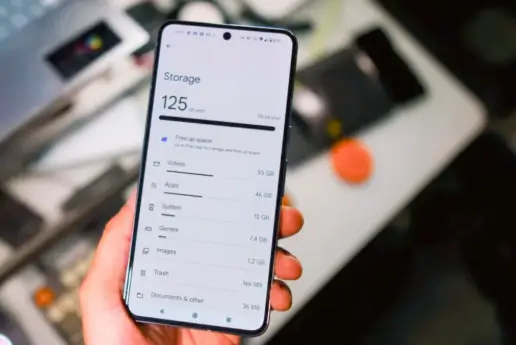
When someone opens jetx desi, he believes that the page will load quickly and respond with little delay. It’s a natural expectation, but the device must still do its job. A phone that’s nearly full can struggle with cache. A browser that has old sessions can reload the wrong state. A weak network can make one tap feel late, even when the page itself is working. Now is where a few tech habits matter. A quick restart, before a longer session allows one to clear temporary memory.
Unused tabs can be closed to free the browser from old pages sitting in the background. Deleting repeated APK files, screenshots, and video clips can provide the phone with enough room to work normally again. None of that seems exciting, but it usually fixes the issue before people begin to reinstall things they didn’t need to touch.
Connection quality is more than signal bars
A phone may show full bars and still load poorly. Signal strength is only one part of the story. Crowded Wi-Fi in a café, hostel, classroom, or office can slow private pages without warning. Mobile data may run better in the same place. A VPN can also slow a page or make access behave strangely. Users see the stuck button, but the real issue may be the path the data is taking.
Before clearing everything, it helps to switch between Wi-Fi and mobile data. If one works and the other fails, the page is probably not the main problem. Browser cache can also cause strange behavior after updates. Clearing cache may help when the same screen keeps acting odd. Full data clearing should come later because it can remove saved settings and make the next login more annoying.
Phone settings can quietly slow the page
Modern phones save power in clever ways. That is useful during a long day, but it can make fast pages feel slower. Battery saver may delay background refresh. Data restrictions may stop a page from updating properly. Do Not Disturb can hide alerts that the user expected to hear. Bluetooth can send sound to another device in the room, which makes the page seem silent for no obvious reason.
Before blaming the page, check a few plain things:
- Free storage for cache and page data.
- Wi-Fi and mobile data separately.
- Battery saver and background data limits.
- Browser tabs that have been open for days.
- VPN or proxy settings.
- Lock-screen privacy for account alerts.
These checks are simple, but they keep the phone from creating false problems. They also make it easier to explain an issue if help is needed later.
A frozen button has more than one cause
The frozen button can be due to poor data, old cache, low memory, or from the browser running too long. It can also occur while waiting for a response from the network for a page. Repeated tapping usually makes the moment worse. A better strategy would be to stop, reload once, check your connection, then reopen the page in a clean tab. If the issue sticks after that, it is more concrete and easier to repair.
Privacy should be part of the setup
Any page tied to an account should be handled with basic privacy in mind. A screen lock should be active. Saved passwords should not sit on shared devices. Lock-screen previews can show private alerts to people nearby. Public Wi-Fi may be fine for reading articles, but private account activity belongs on a trusted connection.
This applies beyond fast game pages. Shopping apps, wallets, cloud tools, email, and delivery accounts all rely on the same phone habits. A cleaner setup protects more than one service. It also keeps the user from mixing casual browsing with private account actions too easily. A phone used by family members needs even more care, especially around saved logins and visible notifications.
Better tech habits make short sessions smoother
A fast page works best on a phone that is not fighting itself. Enough storage, cleaner tabs, steady data, safer passwords, and calmer alerts can change the whole experience. The device does not have to be new. It has to be less crowded and less random.
That is the real tech lesson behind quick mobile pages. Speed is rarely just one thing. It comes from the page, the browser, the network, and the way the phone has been treated for weeks. When those pieces are in decent shape, a short session feels easier. The screen loads, the tap responds, and the user does not waste the break guessing what went wrong.